Showing posts with label app. Show all posts

Thursday, February 25, 2016

RK01 - ResearchKit - App Store Apps - diagnostic

As our tutorial is more focused towards making an app lets start from AppStore itself !


There are many app right now in App Store which are based on ResearchKit and the number is increasing day by day !


Following are the apps features by apple right now -

Asthma Health by Mount Sinai


By Icahn School of Medicine at Mount Sinai

https://itunes.apple.com/WebObjects/MZStore.woa/wa/viewSoftware?id=972625668&mt=8&ls=1&v0=www-us-researchkit-itms-asthma-health


Autism & Beyond


By Duke Health

https://itunes.apple.com/us/app/autism-beyond/id1025327516?mt=8

Breast Cancer: Share the Journey study


By Sage Bionetworks, a Not-For-Profit Research Organization

https://itunes.apple.com/WebObjects/MZStore.woa/wa/viewSoftware?id=972180604&mt=8&ls=1&v0=www-us-researchkit-itms-Sage-Bionetworks


EpiWatch


By Johns Hopkins Digital

https://itunes.apple.com/us/app/epiwatch/id1047757228?mt=8

Mole Mapper Melanoma Study


By Sage Bionetworks, a Not-For-Profit Research Organization

https://itunes.apple.com/us/app/mole-mapper-melanoma-study/id1048337814?mt=8


MyHeart Counts


By Stanford University

https://itunes.apple.com/WebObjects/MZStore.woa/wa/viewSoftware?id=972189947&mt=8&ls=1&v0=www-us-researchkit-itms-my-heart


Parkinson mPower study app


By Sage Bionetworks, a Not-For-Profit Research Organization

https://itunes.apple.com/WebObjects/MZStore.woa/wa/viewSoftware?id=972191200&mt=8&ls=1&v0=www-us-researchkit-itms-mpower


GlucoSuccess

https://itunes.apple.com/WebObjects/MZStore.woa/wa/viewSoftware?id=972143976&mt=8&ls=1&v0=www-us-researchkit-itms-Glucosuccess


Thursday, March 27, 2014

Microsoft office 365 - Word, Excel, Powerpoint for iPad - for FREE


History

History repeats its self .... lets move back to 1997 !


Steve Jobs, Bill Gates and the Microsoft Deal (1997)


Things changed when Steve Jobs came back at Apple in 1997. On the brink of bankruptcy, Jobs turned to his ‘old acquaintance’ Bill Gates for help.The Microsoft Deal is considered a low point in Apple’s history by many.When Steve Jobs announced that Microsoft was not the enemy anymore, few could believe their ears. He went as far as praising the quality of their Mac apps like Office and Internet Explorer… that was outrageous!Things were weird for a few years – 5 years to be exact. Which corresponds to the 5 years of the ‘Microsoft Deal’. During that period Steve Jobs only had good things to say about Redmond.

Announcement


And today Microsoft did announced Office for iPad !
http://blogs.office.com/2014/03/27/announcing-the-office-you-love-now-on-the-ipad/

But in 2014 its through Tweet where we can see there relation :]


Get it for FREE !

Yes you read it right, you can still get it for free


https://www.facebook.com/MicrosoftStore/photos/a.160861237479.117183.150915932479/10152279411957480/?type=1&permPage=1
Yes its free but ...  as you have read - "Office 365 is here for the iPad.® The first 50 people to bring their iPad in-store starting Friday 3/28 will get Office 365 free for 1 year" !

App Preview

Microsoft office, already featured and top in app store.


Microsoft Word for iPad


Microsoft Excel for iPad


Microsoft PowerPoint for iPad


Other Alternative 


Wednesday, February 5, 2014

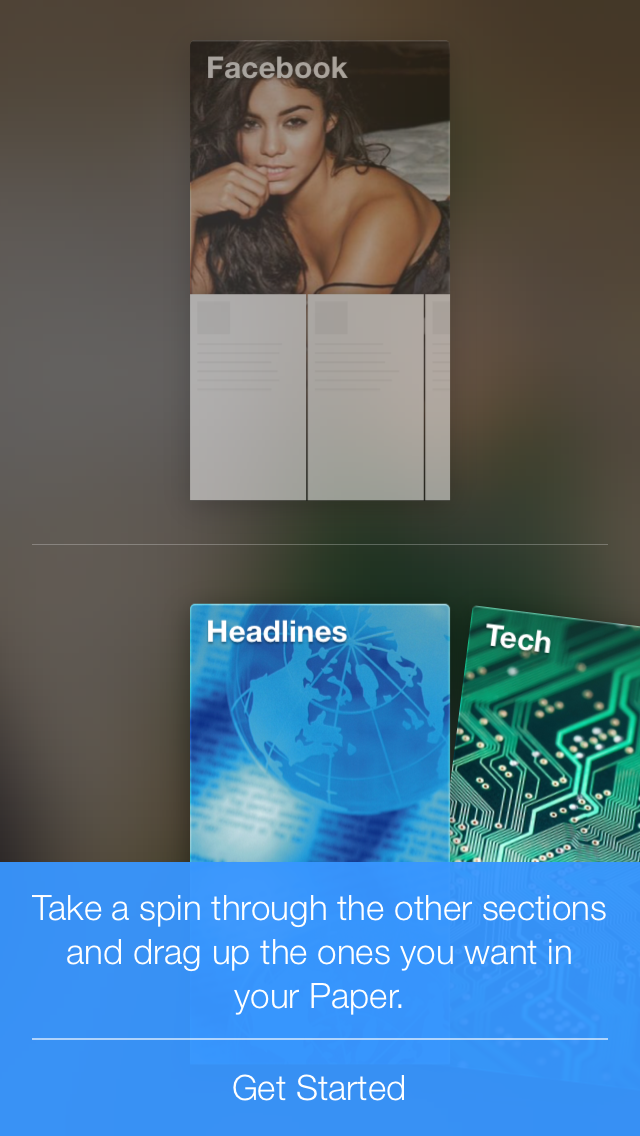
Facebook gestured based iOS app Paper


1. First load is video ! The app itself is 50+Mbs !!!


2. The Next Splash Screen is a Paper logo on a blur Background


3. Then its all voice guide which is titles block of which you can customise.


The Blue Bar is a Help to teach you how to use the app.


For now its is only available only in iOS and for user with USA as a country !
Hope it will come to android soon. And you can easily change the store of your iOS account in setting.

App Store Link
Change iOS App store country.


Monday, January 21, 2013

How to install the Mac App Store in OSX 10.6 Snow Leopard

Step 1 : Goto

http://support.apple.com/kb/DL1399

Step 2 : Download the dmg file

Download

Step 3: Close Xcode or any-other system software and Browsers like Chrome or Safari

Step 4 : You are ready to go using app store after installing and dont forget to restart your machine

Note that it is a big download, file size is 1Gb. So it will take time.


About Mac OS X 10.6.8 Update Combo v1.1

The 10.6.8 update is recommended for all users running Mac OS X Snow Leopard and includes general operating system fixes that enhance the stability, compatibility, and security of your Mac, including fixes that:
  • Enhance the Mac App Store to get your Mac ready to upgrade to Mac OS X Lion
  • Resolve an issue that may cause Preview to unexpectedly quit
  • Improve support for IPv6
  • Improve VPN reliability
  • Identify and remove known variants of Mac Defender
SHA1 = e0742e7537f80c9e01376ea3b3c09df993900643

  • Version: 10.6.8 v.1.1
  • Post Date: Jul 25, 2011
  • Download ID: DL1399
  • License: Update
  • File Size: 1.09 GB
System Requirements
Mac OS X v10.6 - Mac OS X 10.6.7


BONUS
Now you have Mac App Store installed you are ready to go and install Mac OS X 10.8 on your system

Step 5 : Now as you navigate to
http://www.apple.com/osx/
And click "Upgrade Now"
Upgrade Now

Or

https://itunes.apple.com/us/app/os-x-mountain-lion/id537386512?ls=1&mt=12


via - Source