Showing posts with label facebook. Show all posts

Monday, August 11, 2014

Post UIImage on Fan Page as Admin using Facebook iOS SDK - GraphPath, FBRequestConnection, ALAsset

// Model 
//  FBPagesModel.h
@interface FBPagesModel : NSObject

@property (nonatomic, strong) NSString *access_token;
@property (nonatomic, strong) NSString *category;
@property (nonatomic, strong) NSString *pageId;
@property (nonatomic, strong) NSString *name;
@property (nonatomic, strong) NSArray *perms;

- (id)initWithDictionary:(NSDictionary *)dictionary;


//  FBPagesModel.m
#import "FBPagesModel.h"

@implementation FBPagesModel

- (id)initWithDictionary:(NSDictionary *)dictionary {
    if (self = [super init]) {
        self.access_token = [dictionary objectForKey:@"access_token"];
        self.category     = [dictionary objectForKey:@"category"];
        self.pageId       = [dictionary objectForKey:@"id"];
        self.name         = [dictionary objectForKey:@"name"];
    }
    return self;
}

@end


// Uploader 
FBPagesModel *pageModel =  ....
Facebook *fb = [Facebook new];
[fb setAccessToken:pageModel.access_token];

ALAsset *asset =  ... // localMedia asset;
        UIImage *largeImage = [self imageForAsset:asset];

        // Capture a photo via file upload as multipart/form-data then use the source parameter:
        NSDictionary *params = [NSDictionary dictionaryWithObjectsAndKeys:
                                largeImage, @"source", nil];
        NSLog(@"Params ->  \n %@", params);
        /* make the API call */

NSString *graphPath = [NSString stringWithFormat:@"/%@/photos", pageModel.pageId];

[FBRequestConnection startWithGraphPath:graphPath
                                     parameters:params
                                     HTTPMethod:@"POST"
                              completionHandler:^(FBRequestConnection *connection, id result, NSError *error) {
                                  /* handle the result */
                                  if (!error) {
                                      NSLog(@"Uploaded to Page \n %@", result);
                                  } else {
                                      NSLog(@"Error posing on FB page \n %@", error);
                                  }
                              }];


- (UIImage *)imageForAsset:(ALAsset*)asset {
    ALAssetRepresentation * representation = [asset defaultRepresentation];
    
    CGImageRef image = [representation fullResolutionImage];
    UIImageOrientation orientation = (UIImageOrientation)[representation orientation];
    CGFloat scale = [representation scale];
    
    return [UIImage imageWithCGImage:image scale:scale orientation:orientation];

}

Wednesday, February 5, 2014

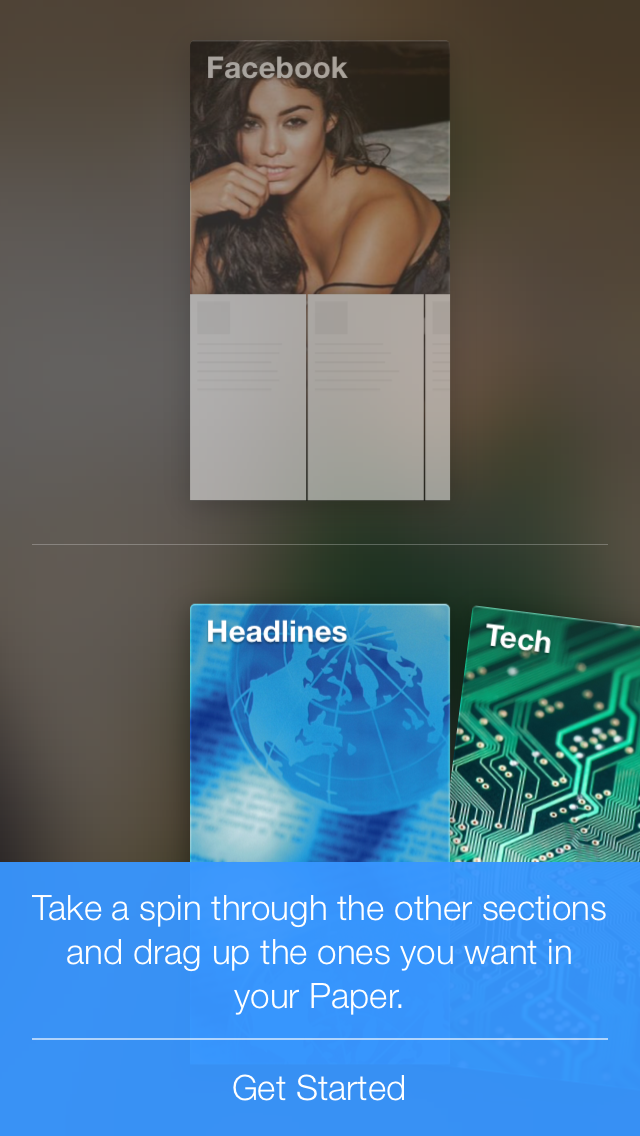
Facebook gestured based iOS app Paper


1. First load is video ! The app itself is 50+Mbs !!!


2. The Next Splash Screen is a Paper logo on a blur Background


3. Then its all voice guide which is titles block of which you can customise.


The Blue Bar is a Help to teach you how to use the app.


For now its is only available only in iOS and for user with USA as a country !
Hope it will come to android soon. And you can easily change the store of your iOS account in setting.

App Store Link
Change iOS App store country.


Monday, June 17, 2013

Facebook iOS app for iOS7 without left side bar !

If you have used or seen the new iOS 7, then there is one risky think apple has added to the OS. That is system wide swipe gesture ie swipe left to go back ! Why is it so risky ? It is because when we left swipe most of the app will open the side menu ! The example is facebook !!!

Now lets look at the new Facebook app for ios 7 which easily solves the slide side view menu problem, and goes native to iOS with tab bar controllers !

But this is only a test UI not a final UI hence it looks like a quick and dirty fix rather then a final flat iOS7 style design. Lets say its a functional design rather then graphical one.