Monday, August 11, 2014

Post UIImage on Fan Page as Admin using Facebook iOS SDK - GraphPath, FBRequestConnection, ALAsset

// Model 
//  FBPagesModel.h
@interface FBPagesModel : NSObject

@property (nonatomic, strong) NSString *access_token;
@property (nonatomic, strong) NSString *category;
@property (nonatomic, strong) NSString *pageId;
@property (nonatomic, strong) NSString *name;
@property (nonatomic, strong) NSArray *perms;

- (id)initWithDictionary:(NSDictionary *)dictionary;


//  FBPagesModel.m
#import "FBPagesModel.h"

@implementation FBPagesModel

- (id)initWithDictionary:(NSDictionary *)dictionary {
    if (self = [super init]) {
        self.access_token = [dictionary objectForKey:@"access_token"];
        self.category     = [dictionary objectForKey:@"category"];
        self.pageId       = [dictionary objectForKey:@"id"];
        self.name         = [dictionary objectForKey:@"name"];
    }
    return self;
}

@end


// Uploader 
FBPagesModel *pageModel =  ....
Facebook *fb = [Facebook new];
[fb setAccessToken:pageModel.access_token];

ALAsset *asset =  ... // localMedia asset;
        UIImage *largeImage = [self imageForAsset:asset];

        // Capture a photo via file upload as multipart/form-data then use the source parameter:
        NSDictionary *params = [NSDictionary dictionaryWithObjectsAndKeys:
                                largeImage, @"source", nil];
        NSLog(@"Params ->  \n %@", params);
        /* make the API call */

NSString *graphPath = [NSString stringWithFormat:@"/%@/photos", pageModel.pageId];

[FBRequestConnection startWithGraphPath:graphPath
                                     parameters:params
                                     HTTPMethod:@"POST"
                              completionHandler:^(FBRequestConnection *connection, id result, NSError *error) {
                                  /* handle the result */
                                  if (!error) {
                                      NSLog(@"Uploaded to Page \n %@", result);
                                  } else {
                                      NSLog(@"Error posing on FB page \n %@", error);
                                  }
                              }];


- (UIImage *)imageForAsset:(ALAsset*)asset {
    ALAssetRepresentation * representation = [asset defaultRepresentation];
    
    CGImageRef image = [representation fullResolutionImage];
    UIImageOrientation orientation = (UIImageOrientation)[representation orientation];
    CGFloat scale = [representation scale];
    
    return [UIImage imageWithCGImage:image scale:scale orientation:orientation];

}

Thursday, March 27, 2014

Microsoft office 365 - Word, Excel, Powerpoint for iPad - for FREE


History

History repeats its self .... lets move back to 1997 !


Steve Jobs, Bill Gates and the Microsoft Deal (1997)


Things changed when Steve Jobs came back at Apple in 1997. On the brink of bankruptcy, Jobs turned to his ‘old acquaintance’ Bill Gates for help.The Microsoft Deal is considered a low point in Apple’s history by many.When Steve Jobs announced that Microsoft was not the enemy anymore, few could believe their ears. He went as far as praising the quality of their Mac apps like Office and Internet Explorer… that was outrageous!Things were weird for a few years – 5 years to be exact. Which corresponds to the 5 years of the ‘Microsoft Deal’. During that period Steve Jobs only had good things to say about Redmond.

Announcement


And today Microsoft did announced Office for iPad !
http://blogs.office.com/2014/03/27/announcing-the-office-you-love-now-on-the-ipad/

But in 2014 its through Tweet where we can see there relation :]


Get it for FREE !

Yes you read it right, you can still get it for free


https://www.facebook.com/MicrosoftStore/photos/a.160861237479.117183.150915932479/10152279411957480/?type=1&permPage=1
Yes its free but ...  as you have read - "Office 365 is here for the iPad.® The first 50 people to bring their iPad in-store starting Friday 3/28 will get Office 365 free for 1 year" !

App Preview

Microsoft office, already featured and top in app store.


Microsoft Word for iPad


Microsoft Excel for iPad


Microsoft PowerPoint for iPad


Other Alternative 


Wednesday, February 5, 2014

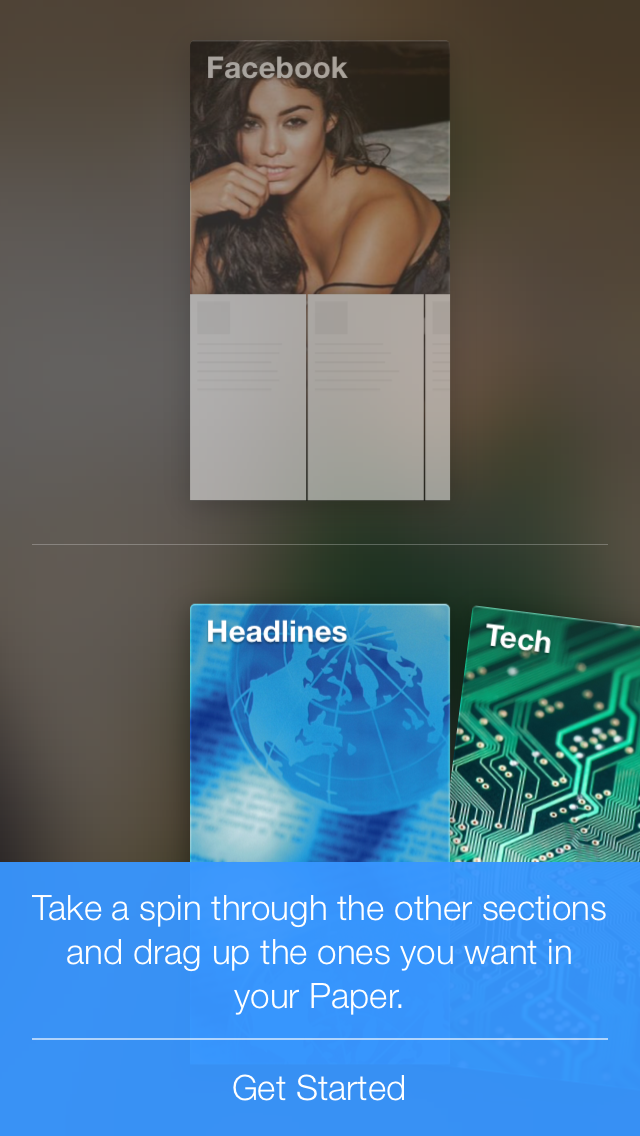
Facebook gestured based iOS app Paper


1. First load is video ! The app itself is 50+Mbs !!!


2. The Next Splash Screen is a Paper logo on a blur Background


3. Then its all voice guide which is titles block of which you can customise.


The Blue Bar is a Help to teach you how to use the app.


For now its is only available only in iOS and for user with USA as a country !
Hope it will come to android soon. And you can easily change the store of your iOS account in setting.

App Store Link
Change iOS App store country.


Monday, December 9, 2013

Core Data Model Objects using Mogenerator


Download Mogenerator at http://rentzsch.github.io/mogenerator/

DownloadDownload mogenerator 1.27or install via homebrew:$ brew install mogeneratorupgrading using homebrew:$ brew update && brew upgrade mogenerator

Terminal
mogenerator --model CoreData/Model.xcdatamodeld/Model.xcdatamodel --output-dir Model/Mogenerator --template-var arc=true
XCode

1. Select your XCDataModeld
2. Editor --> Add Model Version

Projects --> Targets
Editor -->  Add Build Phases

MODELS_DIR="BeerBrowser/DataModel"
DATA_MODEL_PACKAGE="$MODELS_DIR/Beers.xcdatamodeld"
CURRENT_VERSION=`/usr/libexec/PlistBuddy "$DATA_MODEL_PACKAGE/.xccurrentversion" -c 'print _XCCurrentVersionName'`

mogenerator --template-var arc=true --model "$DATA_MODEL_PACKAGE/$CURRENT_VERSION" --output-dir "$MODELS_DIR/"


Or Simply,
/usr/local/bin/mogenerator --model "${PROJECT_DIR}/KhabarSanchar/CoreData/Model.xcdatamodeld/Model.xcdatamodel" --output-dir "${PROJECT_DIR}/Model/Mogenerator" --template-var arc=true

Sources


Saturday, October 5, 2013

Passbook App Development for iOS

Passbook is a new technology introduced in iOS6 and be quite tricky technology at first to master.
But here are few link to tutorials and helps that I hope will ease your pain.

Server API Sevices :
http://www.passdock.com/passbook-coupon/walmart-sales-coupon
http://passkit.com/

Tutorials :
http://www.raywenderlich.com/20734/beginning-passbook-part-1
http://www.raywenderlich.com/20785/beginning-passbook-in-ios-6-part-22
http://blogs.captechconsulting.com/blog/jonathan-tang/ios-6-tutorial-integrating-passbook-your-applications

Github Open source Codes :
https://github.com/passslot/passslot-ios-sdk

Design Passbook :
https://create.passkit.com/

Apple Developer Site Links:

iOS: Using Passbook
http://support.apple.com/kb/HT5483?viewlocale=en_US&locale=en_US

Passbook FAQ
https://developer.apple.com/library/ios/technotes/tn2302/_index.html

App Store Review Guidelines
23. Passbook
  • 23.1
    Passbook Passes can be used to make or receive payments, transmit offers or offer identification (such as movie tickets, airline tickets, coupons and reward offers). Other uses may result in the rejection of the App and the revocation of Passbook credentials
  • 23.2
    Passes must include valid contact information from the issuer of the pass or the App will be rejected and Passbook credentials may be revoked
  • 23.3
    Passes must be signed by the entity that will be distributing the pass under its own name, trademark, or brand or the App will be rejected and Passbook credentials may be revoked
PDFs:
Add to Passbook Badge
https://developer.apple.com/passbook/AddToPassbookBadgeGuidelines.pdf
Getting Started with Passbook on iOS 6
https://developer.apple.com/passbook/Getting_Started_with_Passbook.pdf

WWDC Videos:
https://developer.apple.com/wwdc/videos/?id=302
https://developer.apple.com/wwdc/videos/?id=303
https://developer.apple.com/videos/wwdc/2012/?id=301
https://developer.apple.com/videos/wwdc/2012/?id=309

Ebooks :
http://www.packtpub.com/passbook-applications-development-for-ios/book

Example Pass


Saturday, September 28, 2013

C++ beginers code for Objective-C Developers using XCode

Problem 1: Using CPP code show the use of If…Then…Else statement-using user input values.

Code

//
//  main.cpp
//  Hello World CPP
//
//  Created by Bishal Ghimire on 9/19/13.
//  Copyright (c) 2013 Bishal Ghimire. All rights reserved.
//

#include <iostream>

using namespace std;


/**
   IF then else function for using user input values
*/

int main(int argc, const char * argv[]) {

    int inputAge;
    std::cout << "Input You Age, !\n";
    cin >> inputAge;
   
   
    if (inputAge >= 18) {
        cout << "You can Vote ! \n";
    }
    else if (inputAge < 18) {
        cout << "You can NOT vote ! \n";
    }
    return 0;
}

Output

$ g++ main.cpp
$ ./a.out
Input You Age, !
 29
You can Vote !

Problem 2: Using functions show how you can swipe variables using call by reference.

Code

/**
    Function to swipe two variables using third temp value
 */
void swap(int *u, int *v) {
    int temp;
    temp = *u;
    *u = *v;
    *v = temp;
    return;
}

int main(int argc, const char * argv[]) {
       
    int firstValue;
    cout<<"Input First Value \n";
    cin >> firstValue;
   
    int secondValue;
    cout<<"Input Second Value \n";
    cin >> secondValue;
   
    swap(firstValue, secondValue);
   
    cout<<"First Value and Second Value after they are Swaped \n";
    cout << "1st = " << firstValue << "\n2nd = " << secondValue;
    cout<<"\n";
    return 0;
}

Output

$ g++ main.cpp
$ ./a.out
Input First Value
12
Input Second Value
34
First Value and Second Value after they are Swaped
1st = 34
2nd = 12

Problem 3: Demonstrate the use of functional overloading in CPP (C++)

 Code

/**
  functionOverLoading.cpp
*/

#include "functionOverLoading.h"

using namespace std;

#define pi 3.141

/**
 Function overloading
 */
class fxn {
public:
    void area(int);              // circle
    void area(int, int);         // rectangle
    void area(int, int, int);    // triangle
};

void fxn::area(int a) {
    cout<<"Area of Circle: "<<pi*a*a;
    cout<<"\n";
}

void fxn::area(int a, int b) {
    cout<<"Area of rectangle: "<<a*b;
    cout<<"\n";
}

void fxn::area(int a, int b, int c) {
    // cout<<"Area of triangle: "<<a*b*c;
    cout<<"\n";
}

typedef enum ChoiceType
{
    choiceCircle    = 1,
    choiceRectangle,
    choiceTriangle,
    choiceExit
} ChoiceType;


int main(int argc, const char * argv[]) {
   
    int choice;
    int radius;
    int length;
    int breath;
    int sideA, sideB, sideC;
    fxn object;
   
    cout<<"\n\t\tFunction Overloading";
    cout<<"\n 1. Area of Circle \n 2. Area of Rectangle \n 3. Area of Triangle \n 4. Exit \n ";
    cout<<"Enter your Choice:";
    cin>>choice;
   
    switch (choice) {

        case choiceCircle:
            cout<<"Enter Radious of the Circle:";
            cin>>radius;
            object.area(radius);
            break;

        case choiceRectangle:
            cout<<"Enter Sides of Rectangle:";
            cin>>length>>breath;
            object.area(length, breath);
            break;

        case choiceTriangle:
            cout<<"Enter Sides of triangle:";
            cin>>sideA>>sideB>>sideC;
            object.area(sideA, sideB, sideC);
            break;

        case choiceExit:
            exit(0);
            break;

        default:
            break;
    }
    return 0;
}

Output 

$g++ functionOverLoading.cpp –o functionOverLoading
$ ./functionOverLoading

Function Overloading
 1. Area of Circle
 2. Area of Rectangle
 3. Area of Triangle
 4. Exit
 Enter your Choice:1
Enter Radious of the Circle:10
Area of Circle: 314.1


$ ./functionOverLoading
            Function Overloading
 1. Area of Circle
 2. Area of Rectangle
 3. Area of Triangle
 4. Exit
 Enter your Choice:2
Enter Sides of Rectangle:10 12
Area of rectangle: 120