Wednesday, October 22, 2014

iPad Air 2 vs iPad Mini 3 Which iPad to buy or not to buy

This year selecting Apple  product isn't as easy as it used to be.
The price matrix is not as simple, actually its quite complex !
To make things easy I have made a simple chart which shows which
is the iPad you should get and which is the iPad you should NOT !

From the matrix its clear if you don't have much money to spend iPad Mini 2, 16Gb is the best options for $299, but if you can afford to spend some cash on iPad, then iPad Air 2, 62Gb should be your option for $599.
Only make sure you don't end up buying iPad mini at $249 for its low price ! Its a two year old A5 chip inside and non-retina display ! Also there is a sad news - iPad mini 3 has no processor update in new model and hence carry the same A7 chip.


Sources : 


Monday, August 11, 2014

Post UIImage on Fan Page as Admin using Facebook iOS SDK - GraphPath, FBRequestConnection, ALAsset

// Model 
//  FBPagesModel.h
@interface FBPagesModel : NSObject

@property (nonatomic, strong) NSString *access_token;
@property (nonatomic, strong) NSString *category;
@property (nonatomic, strong) NSString *pageId;
@property (nonatomic, strong) NSString *name;
@property (nonatomic, strong) NSArray *perms;

- (id)initWithDictionary:(NSDictionary *)dictionary;


//  FBPagesModel.m
#import "FBPagesModel.h"

@implementation FBPagesModel

- (id)initWithDictionary:(NSDictionary *)dictionary {
    if (self = [super init]) {
        self.access_token = [dictionary objectForKey:@"access_token"];
        self.category     = [dictionary objectForKey:@"category"];
        self.pageId       = [dictionary objectForKey:@"id"];
        self.name         = [dictionary objectForKey:@"name"];
    }
    return self;
}

@end


// Uploader 
FBPagesModel *pageModel =  ....
Facebook *fb = [Facebook new];
[fb setAccessToken:pageModel.access_token];

ALAsset *asset =  ... // localMedia asset;
        UIImage *largeImage = [self imageForAsset:asset];

        // Capture a photo via file upload as multipart/form-data then use the source parameter:
        NSDictionary *params = [NSDictionary dictionaryWithObjectsAndKeys:
                                largeImage, @"source", nil];
        NSLog(@"Params ->  \n %@", params);
        /* make the API call */

NSString *graphPath = [NSString stringWithFormat:@"/%@/photos", pageModel.pageId];

[FBRequestConnection startWithGraphPath:graphPath
                                     parameters:params
                                     HTTPMethod:@"POST"
                              completionHandler:^(FBRequestConnection *connection, id result, NSError *error) {
                                  /* handle the result */
                                  if (!error) {
                                      NSLog(@"Uploaded to Page \n %@", result);
                                  } else {
                                      NSLog(@"Error posing on FB page \n %@", error);
                                  }
                              }];


- (UIImage *)imageForAsset:(ALAsset*)asset {
    ALAssetRepresentation * representation = [asset defaultRepresentation];
    
    CGImageRef image = [representation fullResolutionImage];
    UIImageOrientation orientation = (UIImageOrientation)[representation orientation];
    CGFloat scale = [representation scale];
    
    return [UIImage imageWithCGImage:image scale:scale orientation:orientation];

}

Thursday, March 27, 2014

Microsoft office 365 - Word, Excel, Powerpoint for iPad - for FREE


History

History repeats its self .... lets move back to 1997 !


Steve Jobs, Bill Gates and the Microsoft Deal (1997)


Things changed when Steve Jobs came back at Apple in 1997. On the brink of bankruptcy, Jobs turned to his ‘old acquaintance’ Bill Gates for help.The Microsoft Deal is considered a low point in Apple’s history by many.When Steve Jobs announced that Microsoft was not the enemy anymore, few could believe their ears. He went as far as praising the quality of their Mac apps like Office and Internet Explorer… that was outrageous!Things were weird for a few years – 5 years to be exact. Which corresponds to the 5 years of the ‘Microsoft Deal’. During that period Steve Jobs only had good things to say about Redmond.

Announcement


And today Microsoft did announced Office for iPad !
http://blogs.office.com/2014/03/27/announcing-the-office-you-love-now-on-the-ipad/

But in 2014 its through Tweet where we can see there relation :]


Get it for FREE !

Yes you read it right, you can still get it for free


https://www.facebook.com/MicrosoftStore/photos/a.160861237479.117183.150915932479/10152279411957480/?type=1&permPage=1
Yes its free but ...  as you have read - "Office 365 is here for the iPad.® The first 50 people to bring their iPad in-store starting Friday 3/28 will get Office 365 free for 1 year" !

App Preview

Microsoft office, already featured and top in app store.


Microsoft Word for iPad


Microsoft Excel for iPad


Microsoft PowerPoint for iPad


Other Alternative 


Wednesday, February 5, 2014

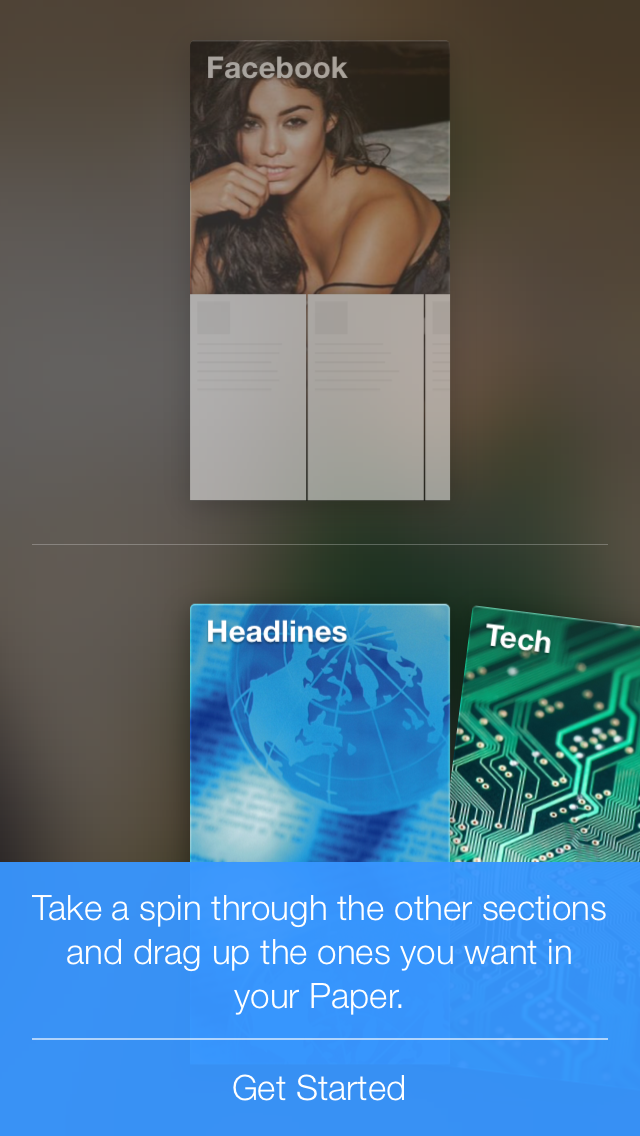
Facebook gestured based iOS app Paper


1. First load is video ! The app itself is 50+Mbs !!!


2. The Next Splash Screen is a Paper logo on a blur Background


3. Then its all voice guide which is titles block of which you can customise.


The Blue Bar is a Help to teach you how to use the app.


For now its is only available only in iOS and for user with USA as a country !
Hope it will come to android soon. And you can easily change the store of your iOS account in setting.

App Store Link
Change iOS App store country.


Monday, December 9, 2013

Core Data Model Objects using Mogenerator


Download Mogenerator at http://rentzsch.github.io/mogenerator/

DownloadDownload mogenerator 1.27or install via homebrew:$ brew install mogeneratorupgrading using homebrew:$ brew update && brew upgrade mogenerator

Terminal
mogenerator --model CoreData/Model.xcdatamodeld/Model.xcdatamodel --output-dir Model/Mogenerator --template-var arc=true
XCode

1. Select your XCDataModeld
2. Editor --> Add Model Version

Projects --> Targets
Editor -->  Add Build Phases

MODELS_DIR="BeerBrowser/DataModel"
DATA_MODEL_PACKAGE="$MODELS_DIR/Beers.xcdatamodeld"
CURRENT_VERSION=`/usr/libexec/PlistBuddy "$DATA_MODEL_PACKAGE/.xccurrentversion" -c 'print _XCCurrentVersionName'`

mogenerator --template-var arc=true --model "$DATA_MODEL_PACKAGE/$CURRENT_VERSION" --output-dir "$MODELS_DIR/"


Or Simply,
/usr/local/bin/mogenerator --model "${PROJECT_DIR}/KhabarSanchar/CoreData/Model.xcdatamodeld/Model.xcdatamodel" --output-dir "${PROJECT_DIR}/Model/Mogenerator" --template-var arc=true

Sources